Endpoint Investigation Practice: How to Read a Process Tree Like an Analyst
Free endpoint investigation practice for beginners. Learn how to read a real process tree, spot persistence mechanisms, and think like an analyst.
EpicDetect Team
5 min read
Endpoint Investigation Practice: How to Read a Process Tree Like an Analyst
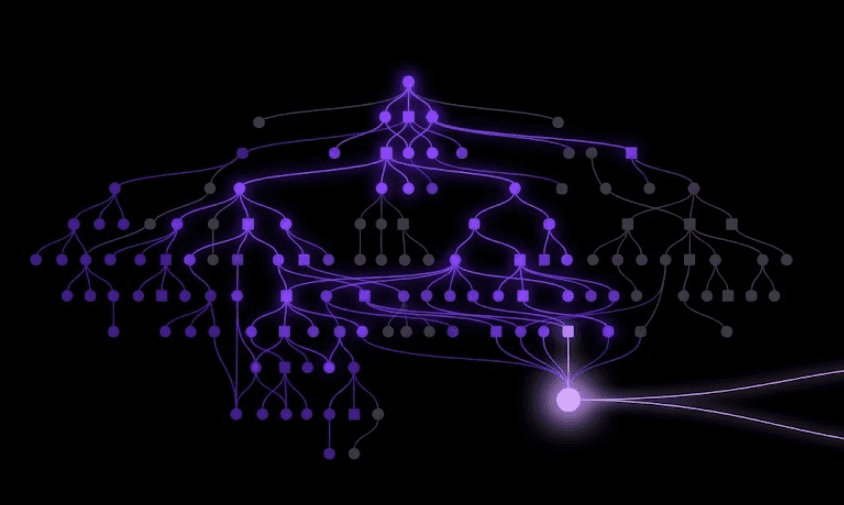
Every SOC job posting wants "endpoint investigation experience." Most training gives you a list of process names to memorize and calls it a day.
Knowing that powershell.exe can be malicious isn't the skill. Looking at a real process tree and knowing which branch to pull on first — that's the skill. Let's actually practice it.
The Alert That Starts Every Shift
EDR fires: "Suspicious child process detected." That's the whole alert. Here's roughly what you're looking at:
explorer.exe
 └─ winword.exe
     └─ powershell.exe -nop -w hidden -enc SQBFAFgAKABOAGUAdw...
         └─ svchost.exe (network connection: 185.212.44.19:443)
Where do you actually look first?
Step 1: The Parent-Child Relationship — Before You Read a Single Flag
This one line tells you more than the whole alert summary.
- winword.exe spawning powershell.exe — Word does not need to open PowerShell. Ever. A document process launching a shell is one of the most reliable signs of a macro-based payload there is.
- explorer.exe as the root — normal; this just means a user opened a file, not an attacker with a foothold already.
You haven't decoded anything yet and you already have a strong lean.
Step 2: The Command Line Arguments — Where the Intent Lives
-nop (no profile), -w hidden (hidden window), -enc (base64-encoded command) — none of these are things a normal user or legitimate script needs together.
This combination is a near-universal pattern for fileless payload delivery: the attacker wants the command to run invisibly and doesn't want the raw command sitting in plaintext where a quick glance would catch it.
💡 Pro tip: Decode the base64 blob before you do anything else. It's almost always the next stage of the attack — usually a download command reaching out somewhere.
Step 3: What the Process Actually Touched
svchost.exe making an outbound connection to a raw IP on port 443 is the next thread to pull.
- Is that IP known-bad in threat intel feeds?
- Is
svchost.exerunning from its normal system path, or somewhere it shouldn't be (a classic masquerading trick)? - Did the process spawn anything else, or write anything to disk?
Step 4: Look for Persistence, Not Just the Initial Execution
A single malicious process that dies when the machine reboots is a nuisance. One that survives reboot is an incident.
Check the obvious places first:
- Registry Run keys — the most common and easiest persistence mechanism to spot
- Scheduled tasks — created around the same timestamp as the alert
- New services — especially ones with generic or spoofed-looking names
Finding persistence changes the entire scope of the response — it's the difference between "clean this one machine" and "assume they're still here."
Step 5: What You'd Actually Do Next
In a real investigation this is where it gets interesting — not "is this malicious," but "how far did it get."
- Isolate the endpoint before doing anything else
- Check other machines for the same process lineage or IOC
- Pull the full timeline: what ran before and after the flagged process
- Document the chain — parent, child, network activity, persistence — for handoff
This is exactly the kind of multi-step follow-through that a "name this malware family" quiz never tests.
Why This Is Harder to Practice Than It Sounds
Most free endpoint challenges give you one screenshot of a process tree and ask "malicious or not?" Binary, low-stakes, forgettable.
The real job is messier: an alert comes in, you follow the chain, and it either dead-ends at a false positive or unravels into something much bigger — and you don't know which going in.
That's the exact gap Adventures on EpicDetect is built to close. For the full picture on getting hands-on SOC experience without a job or home lab, see our complete guide. Adventures are full investigations, not single-screenshot quizzes — Season 0's fourth and fifth episodes put you directly into endpoint forensics once the incident has already spread past email, tracing exactly this kind of process lineage to find persistence and close the case.
TL;DR – Follow the Chain, Not Just the Flag
Endpoint investigation starts with the parent-child relationship and command-line arguments, not the malware family name. Persistence is what turns a single alert into a real incident. Practice on full process chains, not isolated screenshots, if you want the skill to actually stick.
FAQs
Do I need to memorize every LOLBin (living-off-the-land binary)?
No — you need to recognize when a normal binary is doing something it shouldn't (like winword.exe spawning a shell), not memorize an exhaustive list.
What's the fastest way to tell if a process alert is a false positive?
Check the parent-child relationship and command-line arguments first. Most false positives fall apart the moment you look at what actually spawned the process and why.
How is this different from malware analysis?
Malware analysis studies what a malicious file does in isolation. Endpoint investigation is about reading system activity in context — deciding what's normal, what's not, and what to do about it in a live environment.
Final thought: The process tree tells you 80% of the story before you've decoded a single command. Learn to read the chain first.
How EpicDetect Can Help
Reading about this stuff only gets you so far. If you want to actually practice it — not multiple choice, not flashcards, an actual case — Adventures drops you into a story-driven SOC investigation where you make the calls a real analyst makes. Season 0 is completely free, no credit card required.
Want the fuller skill tree too? Head to the EpicDetect Atlas for structured lessons on top of the Adventures scenarios.
New here? Sign up and start for free.
Tags
Related Articles

How to Build an Attack Timeline (Practice Scenario Included)
Building an attack timeline is one of the most valuable SOC skills and one of the least taught. Here's how to actually do it, with a practice scenario to try.

What Is Digital Forensics? (And No, You Don't Need a Computer Science Degree)
Learn what digital forensics actually involves, why it matters for cybersecurity careers, and how to start learning without getting overwhelmed.
Threat Intelligence Practice for Beginners: How to Pivot on a Single IOC
Free threat intelligence practice for beginners. Learn how to pivot from one IOC to infrastructure and campaign attribution like an analyst.
Detecting Lateral Movement: A Beginner's Practice Guide
Lateral movement is how a single compromised laptop becomes a network-wide incident. Here's how to actually spot it, and how to practice detecting it.