Sysmon Event ID 22: DNS Query Logging Explained
Sysmon Event ID 22 logs DNS lookups with the process that made them. See the fields, what to hunt for, a starter config and Splunk searches.
EpicDetect Team
10 min read
Sysmon Event ID 22: DNS Query Logging Explained
Before malware talks to its operator, it has to look up where they are. Sysmon Event ID 22 records that lookup, and it records which process asked.
That second part is the point. Your DNS server logs tell you a host asked for a name. Event ID 22 tells you the exact program on the host that asked, so notes.exe in a public folder looking up a strange domain stands out. This post covers the fields, the patterns worth hunting, a config you can start from, and Splunk searches. For the full event list, see our Sysmon Event IDs cheat sheet.
What does Sysmon Event ID 22 log?
Microsoft's documentation says the event is generated "when a process executes a DNS query, whether the result is successful or fails, cached or not." It needs Windows 8.1 or later, so it is not available on Windows 7 and earlier.
Like other Sysmon events, it lands in Applications and Services Logs/Microsoft/Windows/Sysmon/Operational. The fields you will use:
QueryName: the name that was looked up. This is the field you will search most.QueryStatus: the result code.0means success.9003is the Windows code for "DNS name does not exist" (an NXDOMAIN answer), and9501means no records were found for the query.QueryResults: what came back. CNAME hops show astype: 5followed by the name, and addresses follow. This can be empty when the lookup failed.Image: the full path of the process that made the query.ProcessGuidandProcessId: tie the query to the process, and to that process's other Sysmon events.UtcTimeandRuleName: when it happened, and the name of the rule that matched if you named one in your config.
Newer Sysmon versions add more fields, such as User, so check what your version writes with sysmon -s.
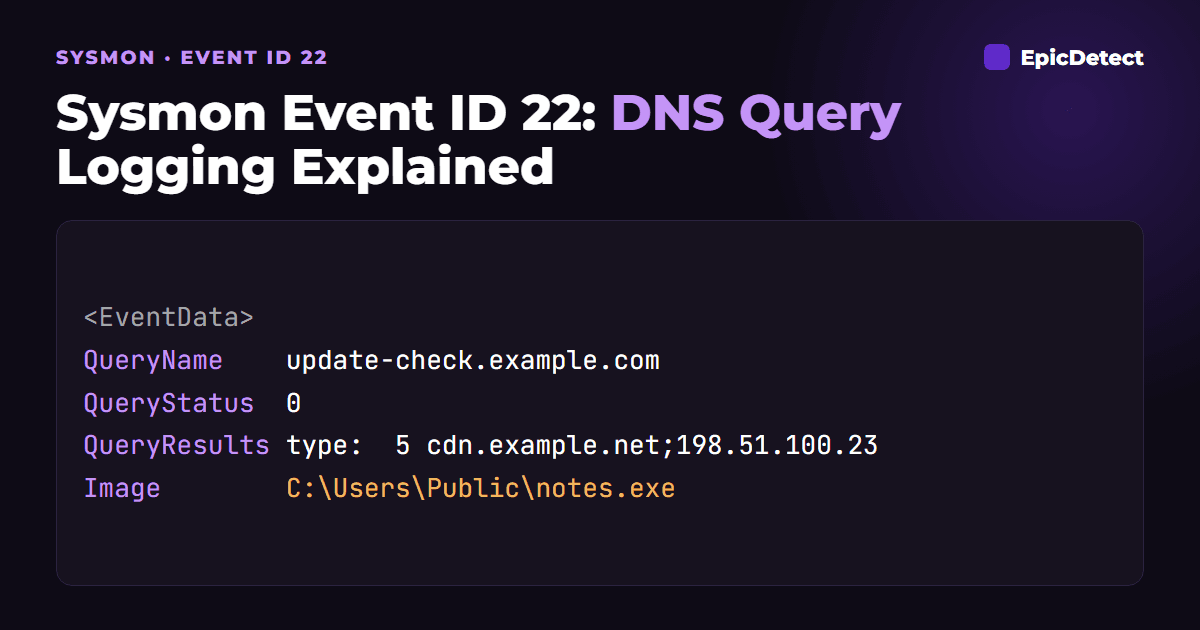
Here is a trimmed example. The name and addresses use documentation ranges, and the process is the kind of thing you would not want to see:
<EventData>
  <Data Name="RuleName">-</Data>
  <Data Name="UtcTime">2026-10-24 09:14:07.512</Data>
  <Data Name="ProcessGuid">{8c1f4d2a-3b7e-6540-2b01-000000001f00}</Data>
  <Data Name="ProcessId">4812</Data>
  <Data Name="QueryName">update-check.example.com</Data>
  <Data Name="QueryStatus">0</Data>
  <Data Name="QueryResults">type:  5 cdn.example.net;::ffff:198.51.100.23;</Data>
  <Data Name="Image">C:\Users\Public\notes.exe</Data>
</EventData>
The query succeeded and was answered through a CNAME to an address. By itself the name is boring. The Image is not: a program in C:\Users\Public\ has no business doing lookups.
How is it different from Event ID 3?
Sysmon Event ID 3 logs the connection itself, with IPs and ports. Event ID 22 logs the question that came before it.
Both can be tied together with ProcessGuid. Event 22 shows what name the process asked for. Event 3 shows where it connected. The host name in an Event 3 record comes from a reverse lookup (Sysmon's DnsLookup setting, on by default), so it may not match the name the process actually asked for. Event 22 is the record of what was asked.
Event ID 22 also catches things Event 3 never sees. A lookup that fails, or a name that resolves but where the connection never happens, still leaves an Event 22.
What does it catch?
A suspicious process making lookups
Start with the process, not the domain. You will see far more unfamiliar domains than you can check, but the list of programs that should never be doing lookups on a given host is much shorter.
Look for lookups where Image sits in a user-writable folder (\Users\Public\, \AppData\, \Temp\, \ProgramData\), or where an unusual parent of lookups appears, such as rundll32.exe, mshta.exe or a script host. Pair it with Event ID 1 to see how that process started.
Bursts of failed lookups
Some malware generates many candidate domain names and tries them until one is registered. The result is a burst of lookups from one process, most of them failing with status 9003. MITRE ATT&CK calls this Domain Generation Algorithms (T1568.002).
Look for one Image on one host with a high count of distinct failed names in a short window. Browsers and security tools can also produce bursts, so check the Image first.
Long or oddly structured names
DNS tunneling hides data inside query names (T1071.004 for command and control over DNS, T1048.003 for exfiltration). The signs are many lookups to one parent domain, with long, random-looking labels in front of it.
Both of these signs only mean something once you compare against your own baseline. A fixed length alone is not a verdict, because some legitimate services use long names.
What is normal and what is suspicious?
Normal:
- Browsers, Office and update agents looking up well-known vendor domains, all day long.
- Security and monitoring agents querying their own cloud endpoints on a schedule.
- Servers repeatedly resolving the same internal names.
Suspicious:
- A process in a user-writable folder that has never made a query before.
- A script host,
rundll32.exeormshta.exeresolving an external name. - One process producing many different failed names, or many names under one parent domain.
- A system process doing lookups at odd hours with no matching business reason.
None of these prove anything alone. They are reasons to open Event 1 and Event 3 for the same ProcessGuid.
How do I configure it?
Event ID 22 is on the DnsQuery tag. Microsoft's docs note that exclude rules take precedence over include rules, and an empty onmatch="exclude" block logs everything.
DNS is a high-volume event, so most teams start with "log everything except known noise". This is a starting point, not a finished config:
<Sysmon schemaversion="4.82">
  <EventFiltering>
    <RuleGroup name="" groupRelation="or">
      <DnsQuery onmatch="exclude">
        <!-- reverse lookups -->
        <QueryName condition="end with">.arpa</QueryName>
        <!-- high-volume vendor update traffic -->
        <QueryName condition="end with">.windowsupdate.com</QueryName>
        <QueryName condition="end with">.microsoft.com</QueryName>
      </DnsQuery>
    </RuleGroup>
  </EventFiltering>
</Sysmon>
Be careful with broad exclusions. SwiftOnSecurity's community config says this directly: legitimate domains can host malware and command and control, so excluding a whole popular domain can hide a real attack. Exclude by domain and by process where you can, and review the exclusion list now and then.
If volume is the problem, the other approach is include rules for specific processes or domains. That keeps data small but misses what you did not think of.
Sysmon only sees queries made through the Windows DNS client API. A program that does its own name resolution (for example its own DNS-over-HTTPS client) will not show up here, so a quiet Event 22 log is not proof of a quiet network.
How do I hunt for it in Splunk?
These assume Sysmon data indexed as sourcetype="XmlWinEventLog:Microsoft-Windows-Sysmon/Operational" with fields parsed by the Splunk Add-on for Sysmon. Adjust the thresholds to your environment, they are starting points.
DNS lookups from user-writable folders:
sourcetype="XmlWinEventLog:Microsoft-Windows-Sysmon/Operational" EventCode=22
(Image="*\\Users\\Public\\*" OR Image="*\\AppData\\*" OR Image="*\\Temp\\*" OR Image="*\\ProgramData\\*")
| stats count dc(QueryName) as names values(QueryName) as queries by host Image
| sort - count
One process failing many lookups (possible DGA):
sourcetype="XmlWinEventLog:Microsoft-Windows-Sysmon/Operational" EventCode=22 QueryStatus=9003
| bin _time span=10m
| stats dc(QueryName) as failed_names values(QueryName) as sample by _time host Image
| where failed_names > 20
Long query names and many names per parent domain (possible tunneling):
sourcetype="XmlWinEventLog:Microsoft-Windows-Sysmon/Operational" EventCode=22
| eval name_len=len(QueryName)
| rex field=QueryName "(?<parent>[^.]+\.[^.]+)\.?$"
| stats count dc(QueryName) as names max(name_len) as longest by host Image parent
| where names > 50 AND longest > 50
That last rex only takes the last two labels, so it will mis-group names under multi-part suffixes such as co.uk. For production, use a proper public-suffix lookup. If you use Microsoft Sentinel, the same ideas apply after you extract the fields from EventData, as in our Event ID 1 post.
What false positives should I expect?
- Browsers and updaters. Plenty of failed and odd-looking lookups come from normal software probing for resources. Check the
Imagebefore the name. - Security tools. Endpoint and email security products generate bursts of lookups of unusual names while scanning. Learn which agents do this.
- CDNs and cloud services. Legitimate services can use long, machine-generated subdomains.
- Antivirus and EDR sandboxes. Detonation hosts will look like malware by design.
To judge a hit, ask: is this process normal for this host, is this name normal for this process, and has this pattern happened before? Hunt for what is new, not just what is odd.
How does it fit with other Sysmon events?
- Event ID 1 (process create): how did the process that made the lookup start?
- Event ID 3 (network connection): did it connect to what it resolved?
- Event ID 11 (file create): what did it write to disk? See Sysmon Event ID 11.
Practice following those pivots on real evidence rather than just reading about them. That is what our free Cases are built for.
FAQs
What is Sysmon Event ID 22?
It is the DNS query event. Sysmon writes it when a process makes a DNS lookup, whether the result succeeds or fails and whether it is cached or not. It identifies the process by Image and ProcessGuid.
Which Windows versions support Event ID 22?
Microsoft's docs say the telemetry was added for Windows 8.1, so it is not available on Windows 7 and earlier.
Is Event ID 22 enabled by default?
It depends on your configuration. Sysmon does what the config says, so check that your config has a DnsQuery rule (or an empty exclude block that logs everything).
Does it log DNS over HTTPS?
Not if the application does its own resolution outside the Windows DNS client API. Event 22 covers queries made through the Windows API.
What does QueryStatus 9003 mean?
It maps to the Windows DNS error "DNS name does not exist", which is the same thing as an NXDOMAIN answer.
TL;DR
Sysmon Event ID 22 records DNS lookups with the process that made them. Start from the process (Image), then the name. Look for unusual processes, bursts of failed lookups (status 9003) and long or many-label names under one parent domain. Exclude noise carefully, and pivot to Events 1 and 3 with the ProcessGuid.
Sources:
- Sysmon on Microsoft Learn
- Windows DNS error codes 9000-11999
- TrustedSec Sysmon Community Guide: DNS query
- MITRE ATT&CK T1071.004 and T1568.002
How EpicDetect Can Help
Reading about Sysmon only gets you so far. Our Cases are free, hands-on investigations covering email analysis, SIEM correlation, endpoint forensics and threat intelligence. You work the evidence yourself.
Prefer a story? Adventures Season Zero is a free, story-driven SOC investigation that runs in your browser, no VMs. When you want a structured path, the EpicDetect Atlas lays out what to learn next.
Tags
Related Articles
Sysmon Event IDs 12, 13 and 14: Registry Monitoring Explained
Sysmon Event IDs 12, 13 and 14 log registry key and value changes. Learn the fields, which keys to watch, a targeted config and Splunk searches.

Sysmon Event ID 1: Process Creation Explained
Sysmon Event ID 1 logs every process start with its command line, parent, hash and user. Learn what it catches and how to search it in Splunk and KQL.
Sysmon Event ID 3: Network Connection Explained
Sysmon Event ID 3 logs TCP/UDP connections per process. Learn its fields, how to spot LOLBin beaconing and odd ports, with Splunk and KQL searches.
Sysmon Event ID 10: Process Access and LSASS Dumping
Sysmon Event ID 10 logs one process opening another. Learn the key fields, GrantedAccess masks, and how to catch LSASS credential dumping (T1003.001).