The MITRE ATT&CK Techniques You'll Actually Encounter as a SOC Analyst
The ATT&CK matrix has 200+ techniques. Here are the five you'll see on repeat as a SOC analyst—and what to look for when you do.
EpicDetect Team
5 min read
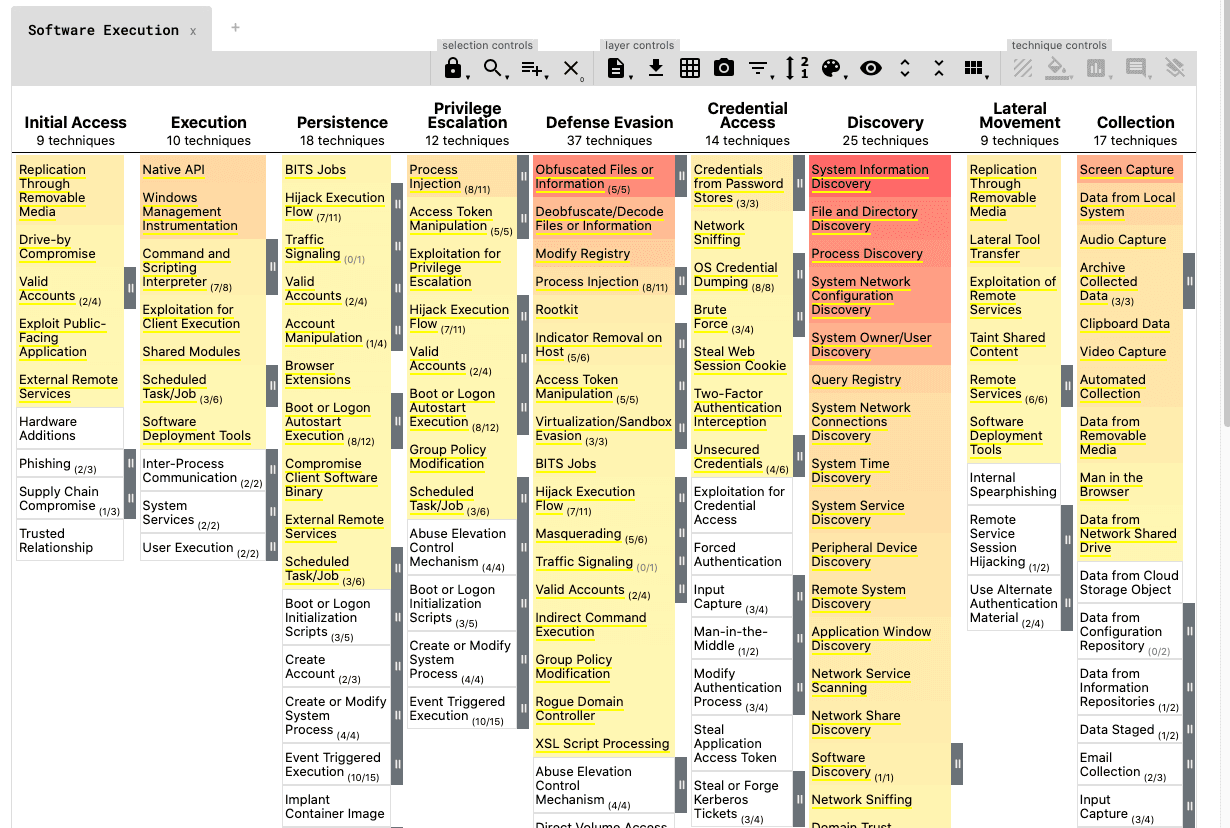
The MITRE ATT&CK Techniques You'll Actually Encounter as a SOC Analyst
You opened the ATT&CK matrix. You saw 14 tactics and 200+ techniques. You immediately closed it.
Yep. Normal reaction.
Here's the thing though: you don't need to learn all of it. You just need to know the techniques that show up constantly. Here are the five you'll see on repeat.
First, a Quick Refresher
MITRE ATT&CK is a catalog of real attacker behaviors, organized by tactic (the goal) and technique (how they achieve it). When an alert fires in your SIEM, the technique behind it is almost always documented here. If you want to go further and build rules that catch these techniques automatically, detection engineering 101 covers how that process actually works.
These five show up in the vast majority of incidents—phishing campaigns, ransomware, APT activity, you name it. Learn these and you'll recognize the shape of most attacks before they get bad.
T1566 – Phishing (Initial Access)
Attackers have to get in somehow. And most of the time? It's a phishing email.
T1566 covers the whole family: spearphishing links (click this URL), attachments (open this doc), and service-based lures (fake SharePoint, fake DocuSign). Real analysts spend a huge chunk of their time triaging suspicious emails.
What to look for:
- Sender spoofing—display name doesn't match the actual sending domain
- Mismatched or obfuscated URLs (hover before you click, always)
- Attachments with macros or unusual file types (.iso, .lnk, .htm)
T1059 – Command and Scripting Interpreter (Execution)
Once attackers are in, they need to run code. T1059 is basically "any time an attacker uses a command-line environment"—PowerShell, cmd.exe, bash, Python, you name it.
Malware loves hiding in PowerShell. So does legitimate software. That's what makes this one hard—you'll see hundreds of PowerShell events a day, and most are completely benign.
What to look for:
- Encoded PowerShell commands (base64 after -EncodedCommand)
- -NoProfile -ExecutionPolicy Bypass flags together
- cmd.exe /c spawning unusual child processes
T1003 – OS Credential Dumping (Credential Access)
Once attackers have a foothold, they want your passwords. T1003 covers all the ways they pull credentials from memory or disk—LSASS dumping, SAM database access, DCSync attacks.
Mimikatz is the most well-known tool for this. But plenty of legitimate security tools trigger the same telemetry (which is exactly why tuning matters).
What to look for:
- Processes accessing lsass.exe memory unexpectedly
- Event ID 4656 or 4663 with LSASS as the object name
- sekurlsa::logonpasswords appearing in any command-line argument (yes, people really do leave that in)
T1053 – Scheduled Task/Job (Persistence)
Attackers don't want to start from scratch after a reboot. T1053 is one of the most common persistence mechanisms: create a scheduled task that re-runs the payload on startup, on a timer, or on a trigger.
It's boring. It's reliable. Attackers love it.
What to look for:
- schtasks.exe /create in process creation logs
- Tasks pointing to unusual directories (AppData, Temp, Public)
- Tasks created by unexpected users or unusual parent processes
T1486 – Data Encrypted for Impact (Impact)
Here's the one you never want to see. T1486 is ransomware—attackers encrypting your data to extort you. By the time this fires, you've almost certainly already missed several of the earlier techniques.
What to look for:
- Mass file renames with unusual extensions (.locked, .encrypted, .WNCRY)
- Spike in file modification events across multiple directories at once
- Shadow copy deletion: vssadmin delete shadows in process logs
The Pattern You'll Notice
These five don't happen in isolation. They follow a sequence: get in (T1566), run code (T1059), steal credentials (T1003), stay in (T1053), and sometimes wreak havoc (T1486).
When you see one of them, look for the others. That's when alert triage becomes actual threat hunting — and being able to write SIEM queries to surface these patterns is where the SPL cheat sheet for SOC analysts pays for itself.
TL;DR – Start Here, Not at the Full Matrix
Don't try to memorize 200+ techniques at once. Start with the ones you'll actually see: phishing (T1566), command execution (T1059), credential dumping (T1003), scheduled tasks (T1053), and ransomware (T1486). Learn to recognize them, know what evidence to look for, and build from there.
---
FAQs
Do I need to memorize the technique IDs?
Nope. Knowing what the technique does matters way more than the ID number. The IDs are just reference labels—you'll look them up when you need them.
Are these the only techniques I'll see?
Not at all, but these appear in the highest percentage of real incidents. Lateral movement (T1021), defense evasion (T1562), and discovery techniques (T1082) are also very common. But these five are a solid starting point.
How do I practice actually spotting these?
Hands-on scenarios beat reading every time. Investigate real-ish alerts, analyze suspicious emails, dig through endpoint logs. The pattern recognition builds fast when you're actively looking for it—not just reading about it. If you're just starting out, here's why most SOC training leaves analysts unprepared for real alerts and what to do about it.
---
Sources & References:
- Verizon DBIR – Initial Access Vectors
- Red Canary Threat Detection Report
---
Final thought: Every major incident you'll ever investigate traces back to a handful of techniques. Get fluent in these five and you'll already be thinking like an analyst—not just reading about attacks in a study guide.
How EpicDetect Can Help
Want to actually hunt for these techniques in realistic SOC scenarios? EpicDetect Adventures drops you into investigations where you're analyzing phishing emails, digging through endpoint process trees, and querying SIEM logs—all tied to real ATT&CK techniques.
Head to the EpicDetect Atlas to build your detection skills from the ground up.
New here? Sign up and start learning for free. No credit card required.
Tags
Related Articles
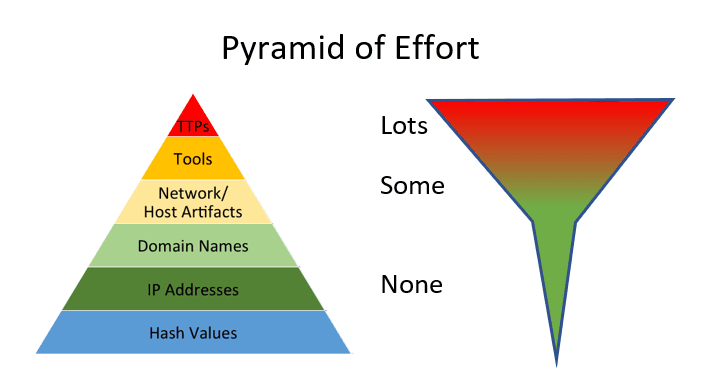
IOCs vs TTPs: What Analysts Actually Hunt With
IOCs are fast. TTPs are durable. Learn the difference between indicators and behaviors—and which one actually matters for long-term threat detection.
What Is Threat Hunting? A Beginner's Guide to Proactive Security
Learn what threat hunting is, why it matters, and how to get started as a beginner. No fancy tools required—just curiosity and the right mindset.

True Positive vs. False Positive: Alert Triage for Beginners
True positive, false positive, false negative - learn the alert triage vocabulary every SOC analyst uses and how to tell a real threat from a false alarm.
Windows Event Log IDs Every SOC Analyst Should Know
The essential Windows Event Log IDs for SOC analysts. Covers Security, System, Sysmon, and PowerShell logs with real-world attack scenarios and MITRE ATT&CK mappings.